Solutions
Student success
The student and the instructor see the same term, the same day.
Withdrawal and grade disputes appear when the student can no longer find their timetable, map progress, or whom to ask. AOKAI puts the term in the pocket of the student and the instructor, syncs the section with Moodle when you use an LMS, and lets retention alerts and the assistant warn before withdrawal.
Modules for Student success
Portals, attendance, grades, planning, LMS sync, retention, mobile, languages, and an assistant that answers with academic data — not a guess.
Faculty
Faculty
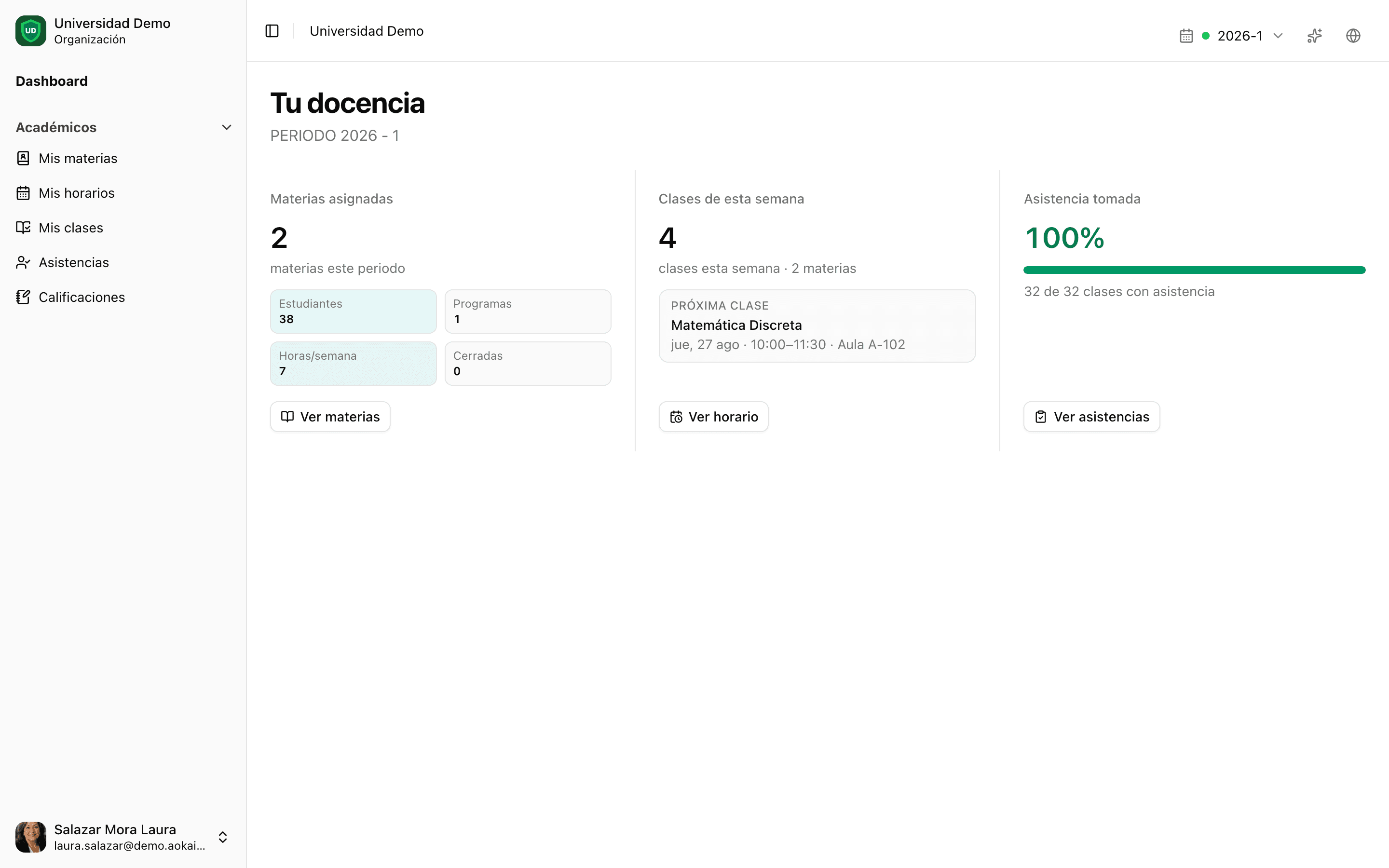
Day-to-day classroom work: teaching load, assigned sections, weekly timetable, lessons, attendance, grade-sheet close, Plan with AI, and Moodle export when the section lives in an LMS.
- Your teaching
- My courses
- My timetable
- My classes
- Attendance
- Grades
- Planning · Plan with AI
- Moodle sync
- Course documents
Student
Student
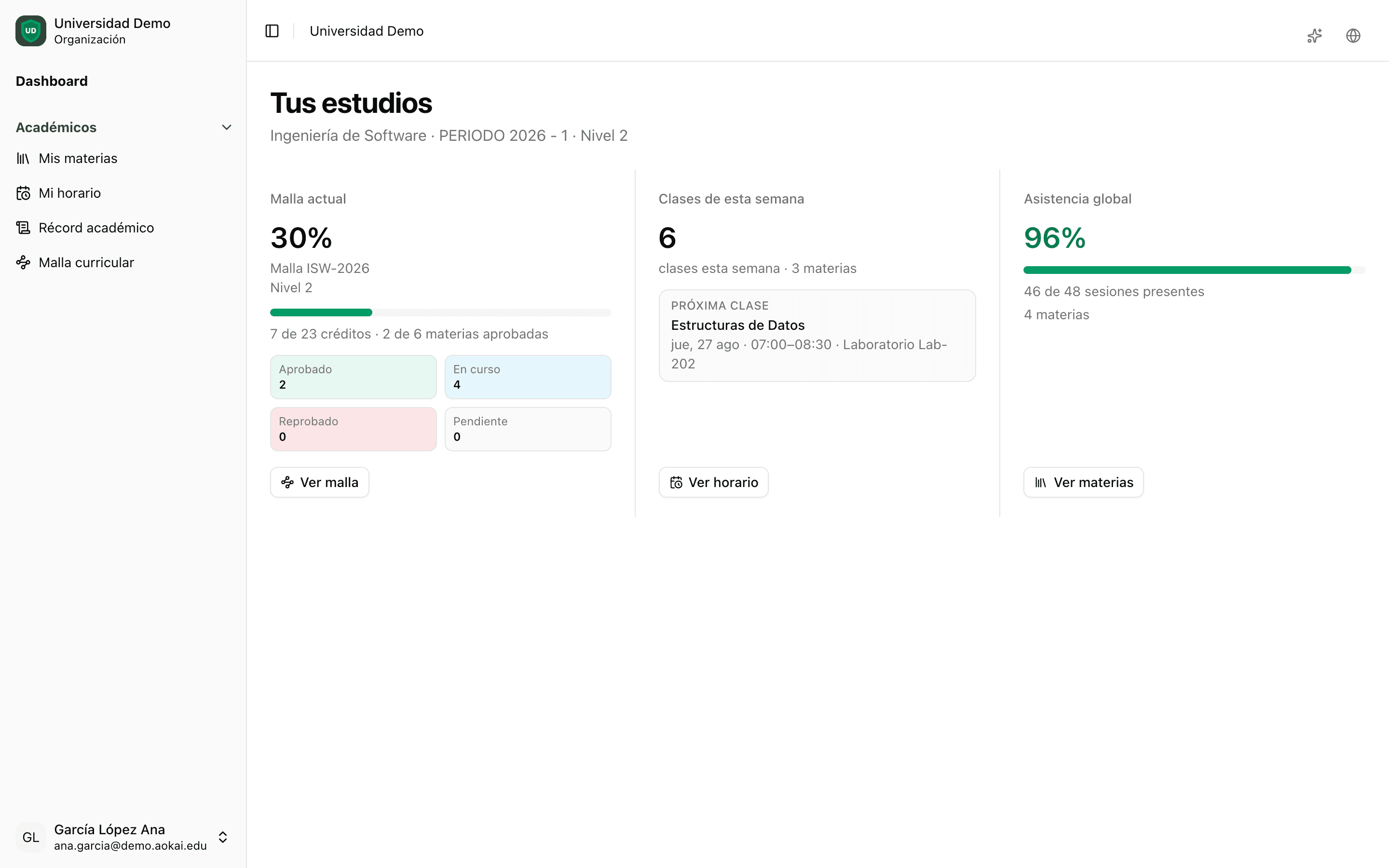
The term in their pocket: map, grades, timetable, academic record, self-enrollment, and finances.
- Dashboard
- My courses
- My timetable
- Academic record
- Curriculum map
- Self-enrollment
- My finances
- Course files
Retention before withdrawal
Scans by period and program surface risk with severity and factors — academic, attendance, engagement, financial — so student affairs can notify the student and the instructor while there is still time to intervene.
Retention alerts
Scan the term, acknowledge or resolve cases, and notify in-app or by email when a student is drifting.
Gradebook insights
AI-assisted fail-risk and missing-score commentary for the instructor — without auto-posting grades.
Academic review
Syllabus review, class-open review, late grades, and grade windows keep the section honest before records close.
Moodle in the classroom
When the institution runs Moodle, the section does not live in two worlds. Faculty export the course, push the roster, and pull grades into the AOKAI gradebook. Canvas and Google Classroom are coming up next.
Export section to Moodle
Provision or link the course from the teaching view and open it without leaving the term.
Import grades
Pull Moodle grade items into the AOKAI gradebook with mapping — same students, same section.
Other LMS · coming up
Canvas and Google Classroom join the LMS catalog; SSO and LTI follow on the same path.
4 languages · full interface
The platform speaks your language
Menus, modules, and help are available in Spanish, English, Portuguese, and Quechua. Switch language in one click.
ES
Bienvenidos
Spanish
A working language of higher education across Latin America and bilingual U.S. campuses.
EN
Welcome
English
For U.S. institutions, international programs, partnerships, and bilingual teams.
PT
Bem-vindos
Portuguese
Built for institutions in Brazil and the Portuguese-speaking community.
QU
Allin hamusqaykichik
Quechua
Linguistic inclusion for Andean communities across Latin America.
Built for mobile
The student sees map, grades, and attendance in their pocket. In the classroom, a QR opens the public timetable — without signing in.
